Lobby sample
The Lobby Sample demonstrates Beamable's Lobbies feature — virtual waiting spaces players join before entering a multiplayer match.
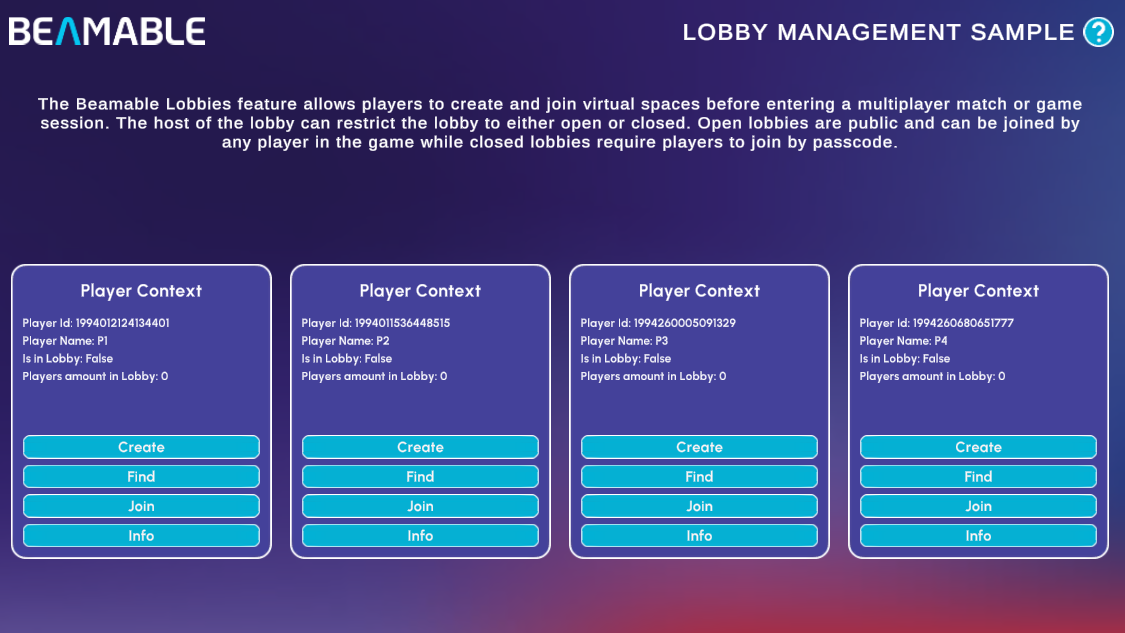
There are no prerequisites for this sample. It shows you how to:
- Create open and closed lobbies identified by a custom name
- Find existing lobbies by name
- Join a lobby by name (open) or passcode (closed)
- Inspect live lobby state, including player count and lobby metadata
Sample overview
The sample loads four independent Player Contexts side by side (P1–P4), each representing a separate player. Each context panel displays the player's ID, name, lobby membership status, and the current number of players in the lobby.
Every player context has four actions:
| Action | Description |
|---|---|
| Create | Opens the Lobby Creation form. Enter a Lobby Name and optional Description, then toggle Closed Lobby to choose the restriction type. Leaving the toggle off creates an Open lobby; enabling it creates a Closed lobby that generates a passcode automatically. Click Create Lobby to confirm |
| Find | Searches for available lobbies by name |
| Join | Joins an existing lobby by name (open) or passcode (closed) |
| Info | Displays the full lobby details: name, host, lobbyId, passcode (if closed), description, and the current player list. Use the Copy buttons next to the lobbyId and passcode to share them with other player panels |
A typical multi-player flow looks like this:
- Click Create on P1's panel, fill in the form, and confirm
- Click Info on P1 to reveal the lobby name (and passcode for closed lobbies) — use Copy to grab it
- Click Join on P2, P3, or P4 and paste the copied value to join the same lobby
Read the SDK Docs
Learn about all Lobby API methods — creating, updating, finding, and joining lobbies — in the Lobbies reference.
Visit Portal
Go to https://portal.beamable.com to view and manage lobby data from the developer side.