Friends management sample
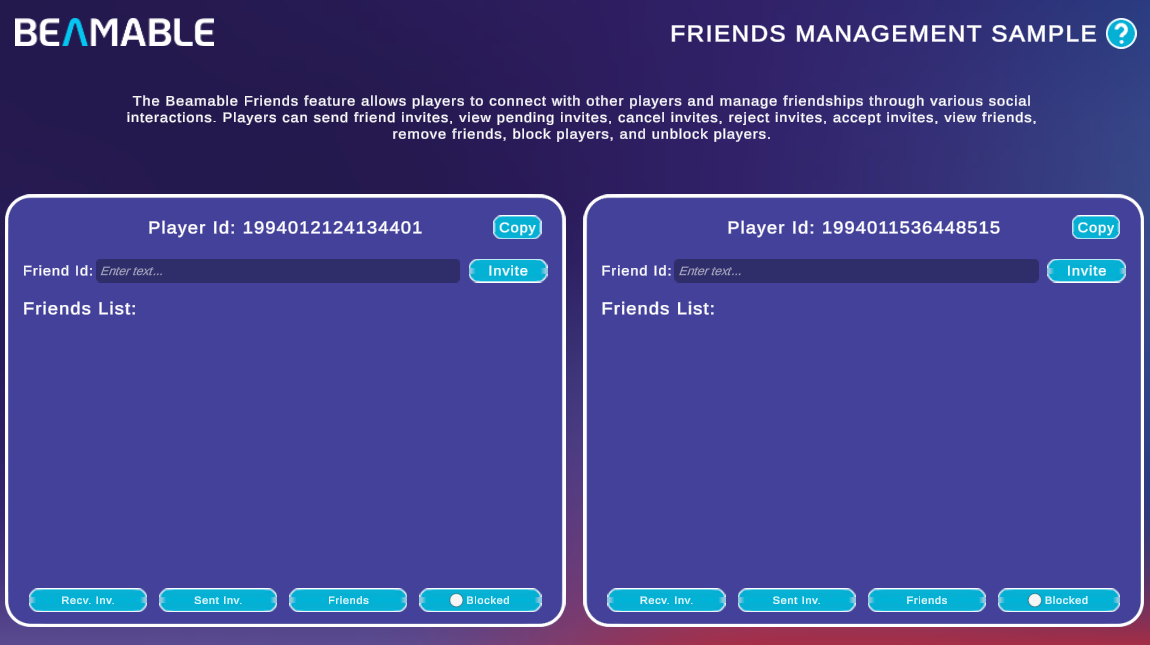
The Friends Management Sample demonstrates Beamable's Friends feature — a social system that lets players connect, manage invitations, and block other players.
There are no prerequisites for this sample. It shows you how to:
- Send friend invites to another player by Player Id
- View received and sent invitations
- Accept or reject received invites and cancel sent invites
- View your confirmed friends list and remove friends
- Block and unblock players
Sample overview
The sample loads two independent Player Contexts side by side (P1 left, P2 right), each representing a separate player. Each panel displays the player's Player Id and a Copy button for sharing it with the other panel.
To send a friend invite, paste the target player's Id into the Friend Id field and click Invite. The bottom of each panel has four tabs that filter the list area:
| Tab | Description |
|---|---|
| Recv. Inv. | Lists invitations received from other players. Each entry has Accept and Reject actions |
| Sent Inv. | Lists invitations the current player has sent. Each entry has a Cancel action to withdraw the invite |
| Friends | Lists confirmed friends. Each entry has a Remove action to end the friendship |
| Blocked | Toggle that switches the list to show blocked players and lets you Unblock them |
A typical two-player flow looks like this:
- Copy P1's Player Id using its Copy button
- Paste the Id into the Friend Id field on P2's panel and click Invite
- Switch to P1's Recv. Inv. tab — the incoming invite from P2 appears there
- Click Accept on P1 to confirm the friendship
- Both players now see each other under the Friends tab
Read the SDK Docs
Learn about all Friends API methods — sending, accepting, canceling, blocking, and presence — in the Friends reference.
Visit Portal
Go to https://portal.beamable.com to inspect player social data from the developer side. Search for a player to view their friends and blocked-player lists.