Version 2.3.0 Release Notes
These are the release notes for the Beamable Unreal SDK version 2.3.0. This release includes several new features, improvements, and bug fixes to enhance your experience with the Beamable Unreal SDK. Below are the highlights of this release:
Highlights
IOS Support
We are excited to announce that Beamable Unreal SDK now supports the iOS platform! You can now build and deploy your Beamable-powered games on iOS devices, expanding your reach to a wider audience.

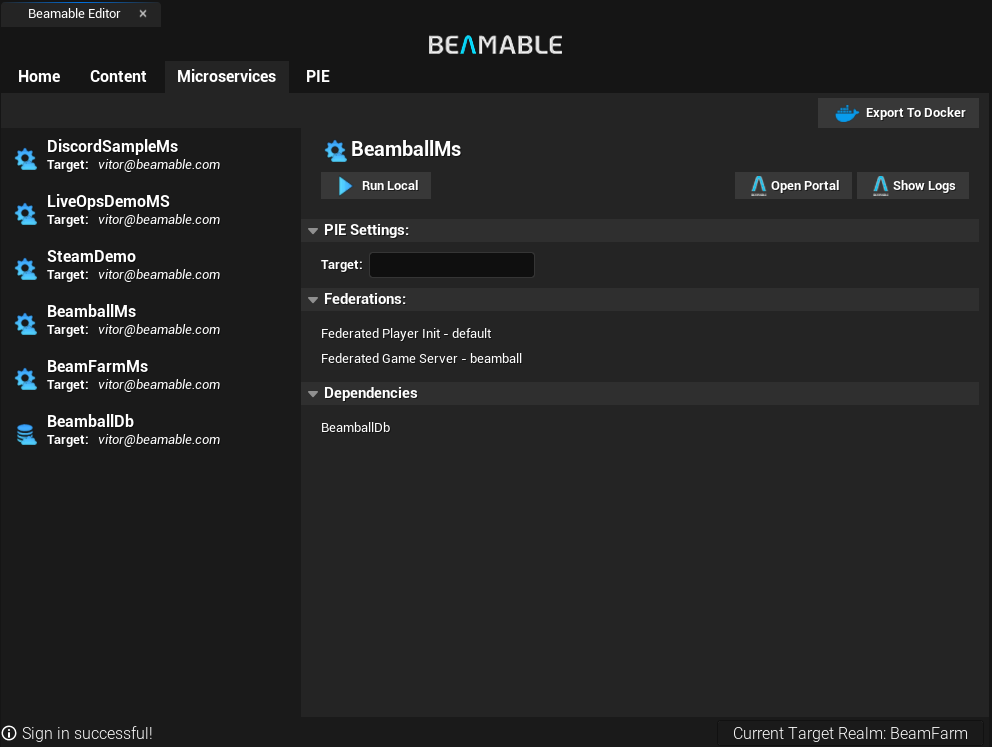
New Microservice Editor
The Microservice Screen was reworked from scratch, improving the experience of managing and deploying your Beamable microservices directly from the Unreal Editor. You can now see the list of Federations and Microstorage Dependencies for each microservice, as well as deploy and manage them with just a few clicks.
It's now also integrated with direct links for the new Log system at the portal, making it easier to debug and monitor your microservices.
Improved Content Editor with Snapshots and History
The Content Editor has been enhanced with new features to make it easier to manage your game content. You can now take snapshots of your content, allowing you to save and restore different versions of your content. Additionally, the history feature lets you track changes and revert to previous versions if needed.
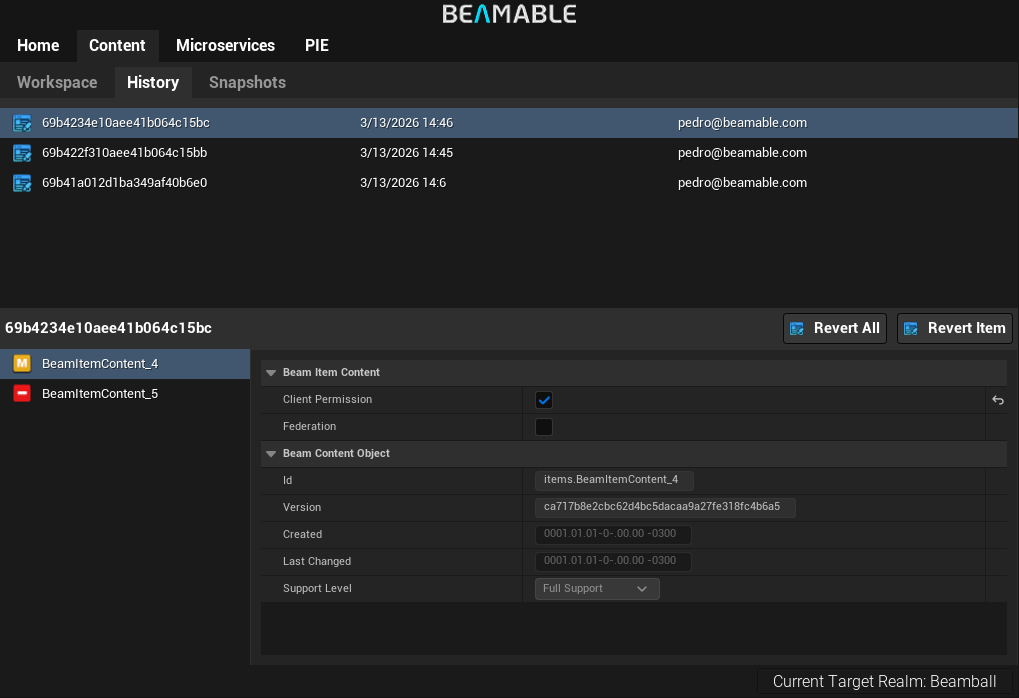
History Editor
The History Editor provides a visual representation of the changes made to your content over time. You can see a list of the published versions and revert single files or the whole state. This feature is particularly useful for tracking changes and ensuring that you can always go back to a previous state if something goes wrong.
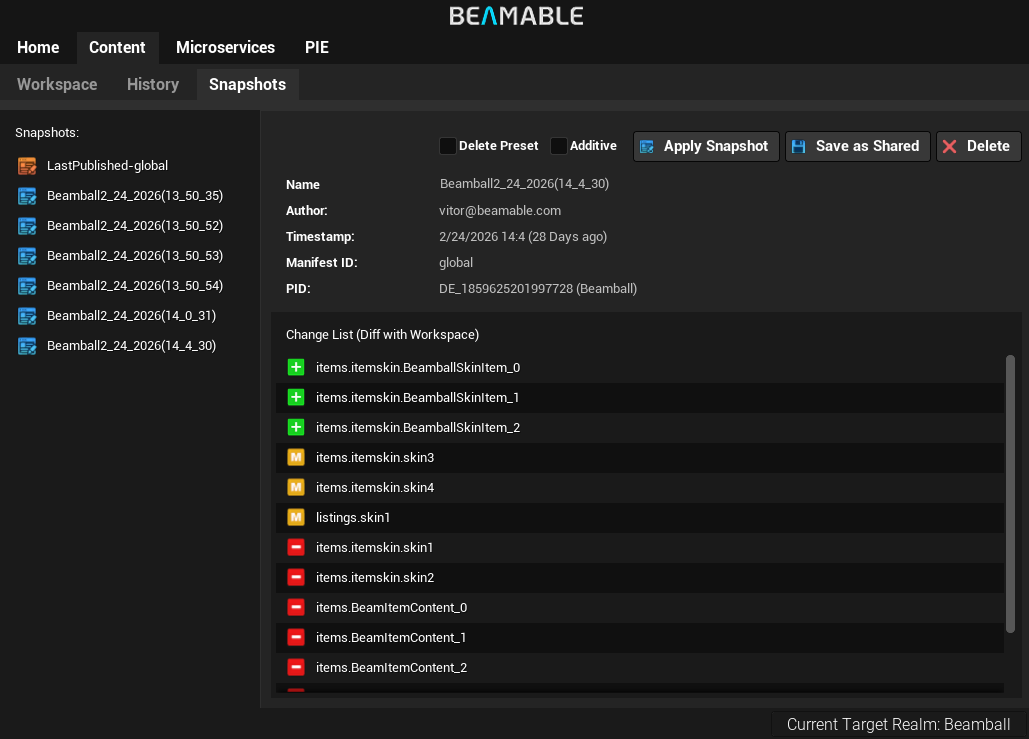
Snapshots Editor
The Snapshots Editor allows you to create and manage snapshots of your content. You can take a snapshot at any point in time, giving you a backup of your content that you can restore later if needed. This is particularly useful for testing changes or experimenting with new ideas without the risk of losing your current work. We also automatically take a snapshot of your content every time you publish (named "LastPublish") that is version-controlled.
Minor UI Improvements
In addition to the major improvements, we have also made several minor UI enhancements to improve the overall user experience. These include many small tweaks to the layout, more areas where you can copy IDs with a single click, and quick information about the content support level.

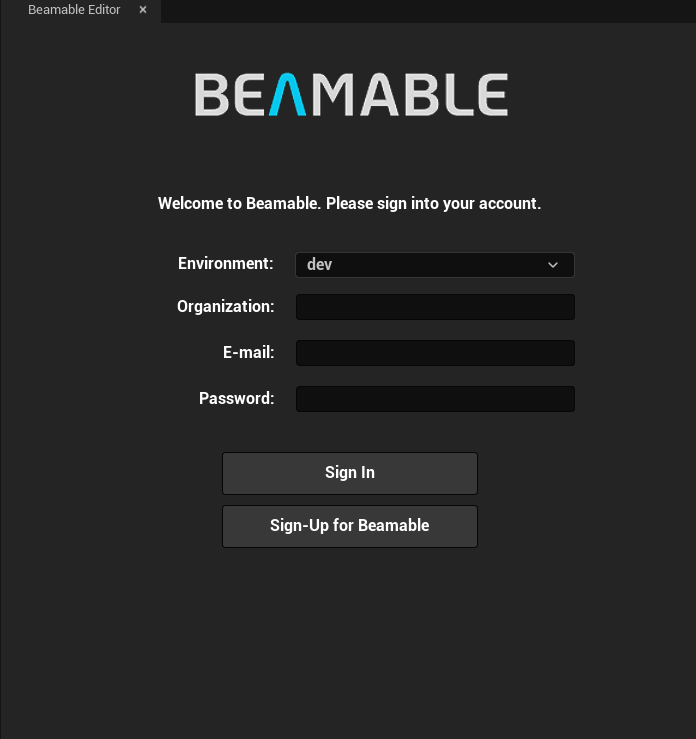
Improved Login Screen
We have revamped the login screens to provide a more intuitive and user-friendly experience. Now you can select the Environment, Game, and initial Realm directly from the login interface, making it easier to connect to your desired Beamable services.
Build-in Notifications
The Beamable Editor expands the usage of the built-in Unreal notifications to inform you about important events, updates, and actions. This enhancement ensures that you stay informed without disrupting your workflow.

Party/Team Support in PIE Settings
The Play In Editor (PIE) settings now include a Party/Team configuration inside User Settings, allowing you to define party and team assignments for each player before the session starts. The system initializes everything automatically when the Gameplay Level begins, giving you a fully integrated way to test the party system and team logic end-to-end without needing to manually trigger party invites or team assignments at runtime.
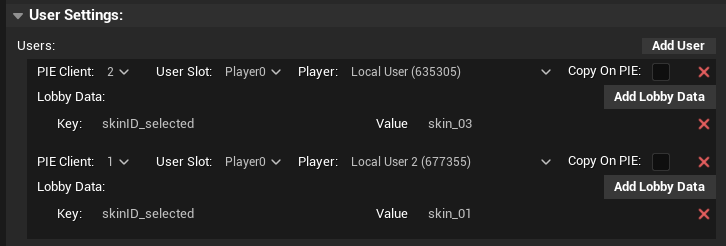
For more details, see the PIE Settings – Teams Configuration documentation.
Samples
We have reworked our samples to better demonstrate the capabilities of the Beamable SDK. The new samples are more comprehensive and easier to follow, helping you get started quickly with Beamable features.
The Beamball sample was improved to add new functionalities such as Match Timer and Team Support fully integrated with the new PIE Settings.
Platform Integration Samples
The Beamball sample now includes comprehensive platform integration demonstrations:
- Steam Integration: We've folded the previous standalone Steam demo into the Beamball sample, showcasing federated login with Steam using Auth Session Tickets and the Steam Partner Web API.
- Epic Online Services (EOS) Integration: A new Epic Account integration sample demonstrates federated login using OpenID Connect JWT validation with support for multiple authentication methods (PersistentAuth, Exchange Code, Developer Auth, and Account Portal).
These samples demonstrate complete authentication flows from client to server, including player initialization with platform-specific profile data. See the Steam Integration and EOS Integration documentation for detailed setup instructions.
The Beamfarm sample for now, just has the Google Sign-In (Android) and Game Center (iOS) login integrations in similar fashion to the Beamball samples. In the future, this Beamfarm sample will evolve into a async-multiplayer mobile-game-style sample and Beamball will remain focused for PC (and in the future Console).
Other Changes
- The minimum .NET version used by the CLI is now enforced by the
global.jsonfile. The normal upgrade process creates this, and this change should not affect your currently working project. - [Fix] Fixed the issue that caused the store subsystem to incorrectly cache the state of the first store's view as all store's views.
Upgrading
If you are upgrading from version 2.2.1, the upgrade process is:
- Follow the Upgrade Steps available Here
- This release requires that you regenerate your microservice clients after rebuilding the microservice projects, if you have any. So you'll need to run:
dotnet beam project generate-client "." - Recompile your editor.
If you're upgrading from any older version, please also look at the What's New/Upgrade Guide for the versions in between.