In-app purchases
The Store feature's In-App Purchases can be managed and configured through the Portal.
Getting started
Follow these steps to configure In-App Purchases settings:
| Step | Detail |
|---|---|
| 1. Open the Portal | • See Portal documentation for more info |
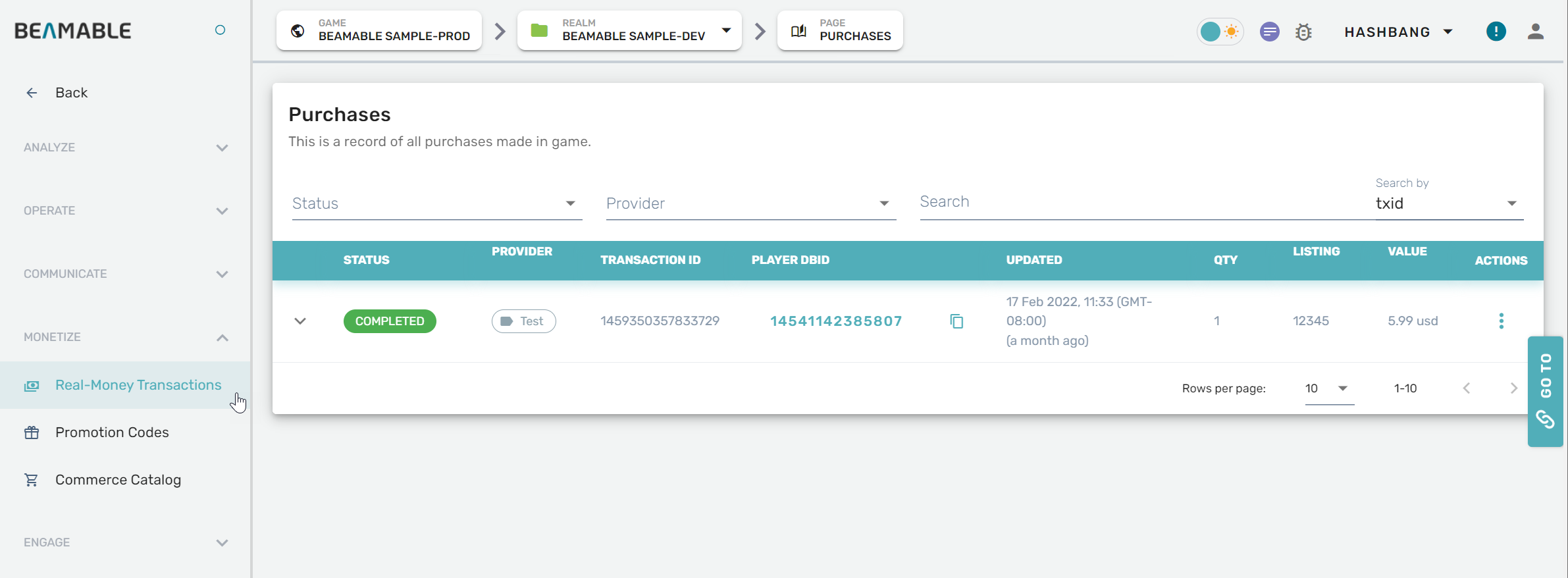
| 2. Expand "Monetize" section on the sidebar | • Click "Real-Money Transactions" |
| 3. Configure the settings | • Enjoy! |
Game Maker user experience
The following screenshot shows the In-App Purchases management interface: