How to work with Android in the Unreal
This is a guide about how to setup the android build to work with the samples.
References
There's some complementary information you can find useful in the Unreal documentation.
Setup Unreal Dependencies
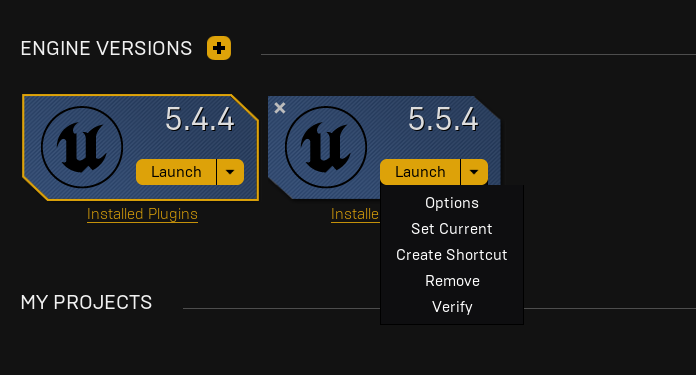
- Open the Library in the Epic Launch.
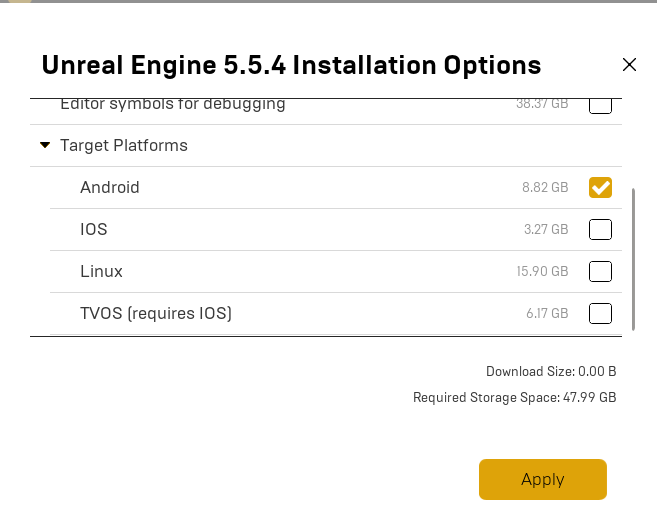
- With the unreal installed, expand the menu in the side and open the options.
- After this enable the Android option and wait until it installs.
The images below show how to handle the steps above.
 |
|---|
| Epic Unreal Library |
 |
|---|
| Unreal Options |
Run the auto installer for unreal android sdk
In order to facilitate the setup for Unreal-Android usage we added to the prepare_repo.sh a optional parameter that is --install-mobile-sdk.
Warning
You will need to run as a adminitrator in order to run all the processes required to install.
Note
The --install-mobile-sdk basically gets the version of your UProject and run the Turnkey command from unreal to install everything.
Please follow the extra steps in the unreal documentation to have everything ready.
Installing the Turnkey
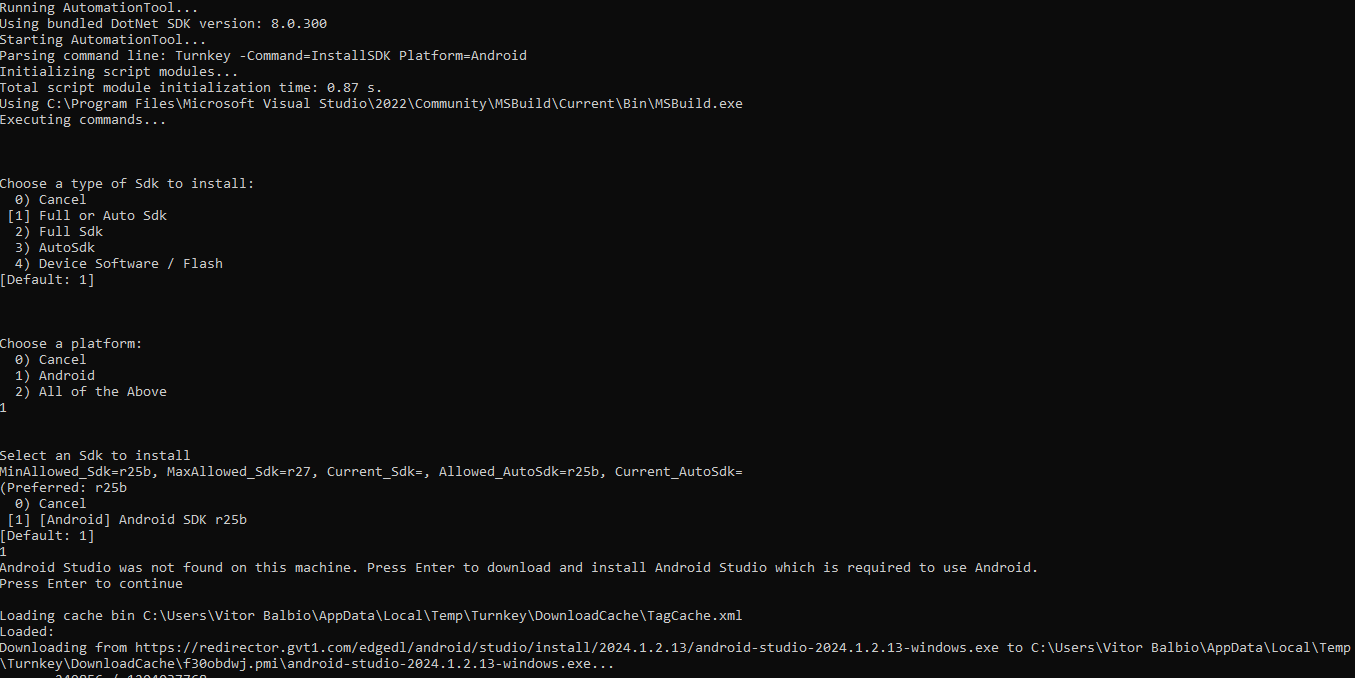
The Turnkey will start to install all needed, for most cases you will need only the default. But bellow you can see as the default of the options should looks like.
 |
|---|
| Default options |
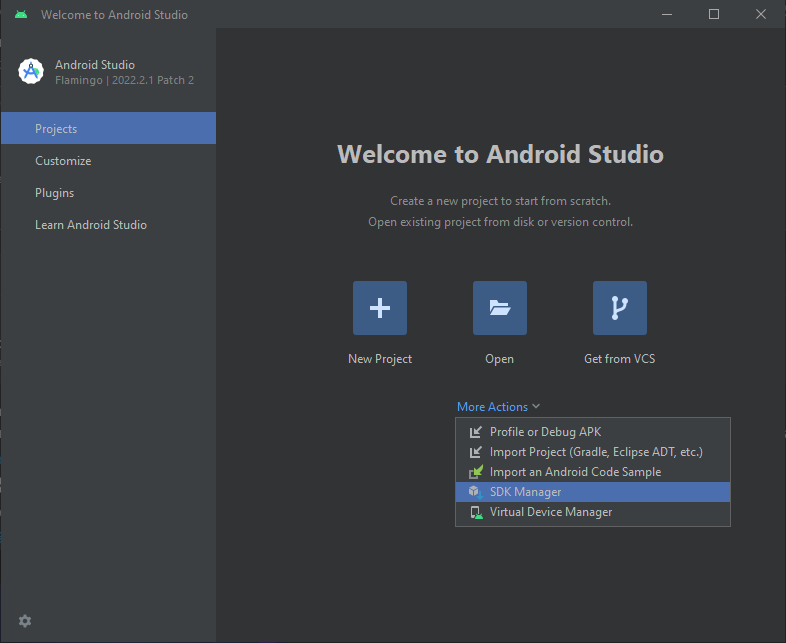
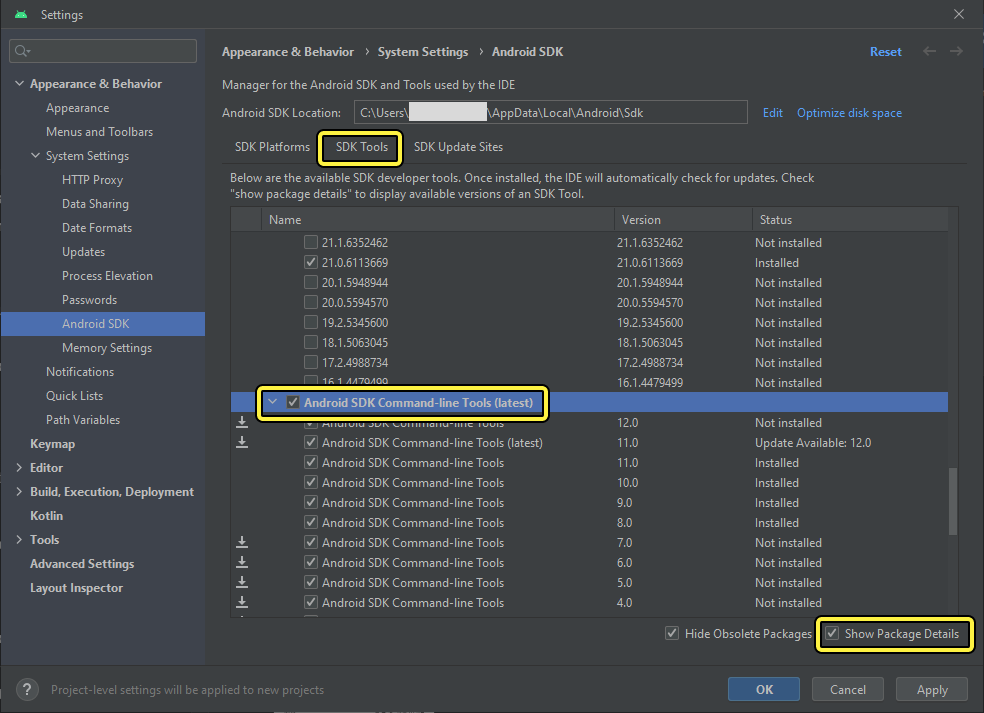
The Turnkey will ask you to setup the sdk manager, so follow the bellow steps.
 |
|---|
| Command Tool Install |
 |
|---|
| Command Tool Install |
First Setup
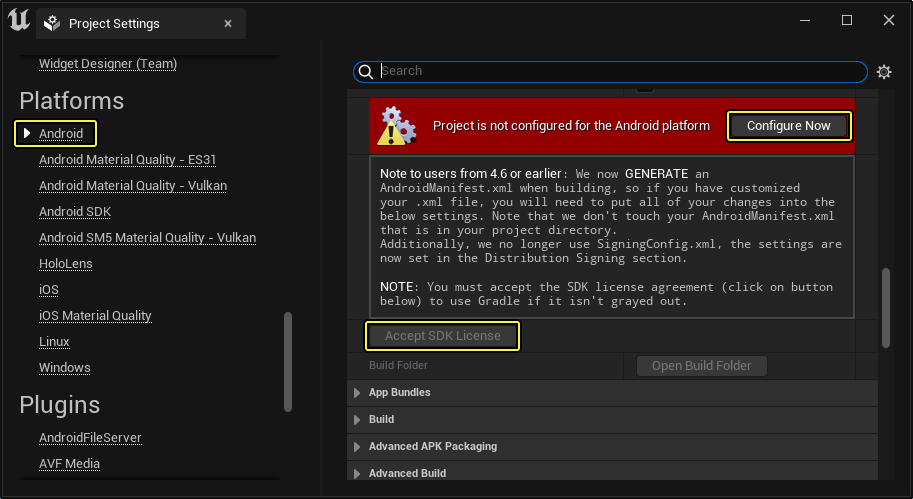
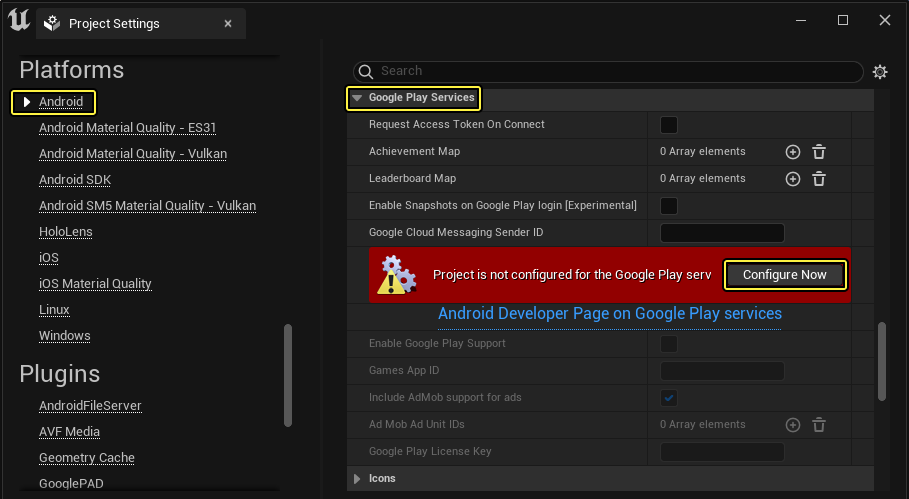
As metioned in the reference of the unreal, you will need to fix the issues and setup the information in the Project Settings / Platform / Android.
Note
Make sure to setup your company info before built.
 |
|---|
| Fix Android Errors |
 |
|---|
| Fix Android Errors |
Unreal UProject plugin
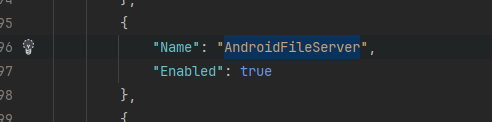
It will be required to have the AndroidFileServer enabled in the plugins in order to every thing to works after the built. This config can be found in the UProject file, or if you need, create it in the plugins zone.
 |
|---|
| File Server Enabled |
Build the project
Once you setup every thing, you can follow the Android Development Prerequisites and run in your device.