Getting Started
Setup your Environment
Run the setup.sh script. This script will install all the dependencies needed to run the documentation, including MkDocs and Mike.
Building the Documentation
We use MkDocs to generate our documentation and Mike to Deploy multiple versions of it. Here's a list of the most important commands used in the process:
| Command | Description |
|---|---|
mkdocs serve --livereload |
Run the the current branch version of the documentation locally |
mike serve |
Run the complete documentation with the versions drop down locally |
mike deploy <NameOfTheVersion> |
Deploy the current branch as a version of the documentation |
mike alias <NameOfTheVersion> <Alias> |
Create an alias for a version of the documentation. This is useful to set a "Unreal-Latest" or "Unity-Latest" version of the documentation that is a static link. |
mike set-default <NameOfTheVersion> |
Set a especific version as the Default when running the documentation website, usually it will be a stable version such as "Unreal-Latest" or "Unreal-Latest" |
Here's a list of the most common used use cases:
| Use Case | Action |
|---|---|
| I want to get the documentation running as local preview | Run mkdocs serve --livereload and open your browser at http://localhost:8000 |
| I want to see the documentation with all versions | Run mike serve and open your browser at http://localhost:8000 |
| I want to deploy a new/updated version of the documentation | Run mike deploy <NameOfTheVersion> and check the results at http://localhost:8000 |
| I want to submit the deployed documentation to the repository and make it accessible online | Commit the "gh-pages" branch. This contains the generated final documentation. Make sure you discad any local changes not commited. Mike will do all commits needed on this repository, you don't need to commit any local file that was changed. Only push the commits made by mike |
Editing Workflows
Here's a list of the most common used use cases when editing the documentation and what to do in each case:
| Use Case | Workflow |
|---|---|
| I did fix a internal bug for next Major or Minor release | Edit the release notes document in the Latest SDK version branch. |
| I did fix a internal bug for next Patch release | Edit the release notes document in the Current SDK version |
| I did change a function call or semantics that now works differently than before. | Edit the release notes document in the correct SDK version with a migration info. Check the related documentation of this system for inconsistencies, Check all snippets, Check if all samples are compiling correctly |
| I did implement a new Feature that is only related to a single SDK. It will be released at the next Major or Minor version | Edit the release notes document in the Latest SDK version branch and create a specific documentation for this new feature. |
| I did implement a new Feature that touch all SDKs and the CL | IEdit the Core documentation with the new feature, merge this in the Latest SDK versions and add to the release notes in all the Latest SDK versions |
| I do want to forwarding/backport a bug fix to a old/new version | Edit the corresponding version of the documentation you did change, add the change to the release notes of it |
Additional Configuration
The mkdocs.yml file is already configured with the following:
- Material theme for MkDocs
- Mike plugin for versioning
- Literate navigation for organization
- Various Markdown extensions for better formatting
The documentation adds custom styling and behavior through:
assets/javascript/extra.js: Used for custom JavaScript functionalityassets/stylesheet/extra.css: Contains custom styling rules
These files are automatically loaded by MkDocs and can be used to extend or modify the documentation's appearance and behavior.
Troubleshooting
If you encounter issues:
- Check that all dependencies are correctly installed
- Make sure Python is in the system PATH
- Verify write permissions in the relevant directories
- Check the logs for specific error messages
This guide should provide all the necessary information to work with Beamable documentation using Mike and MkDocs. For more information, refer to the official documentation for MkDocs and Mike.
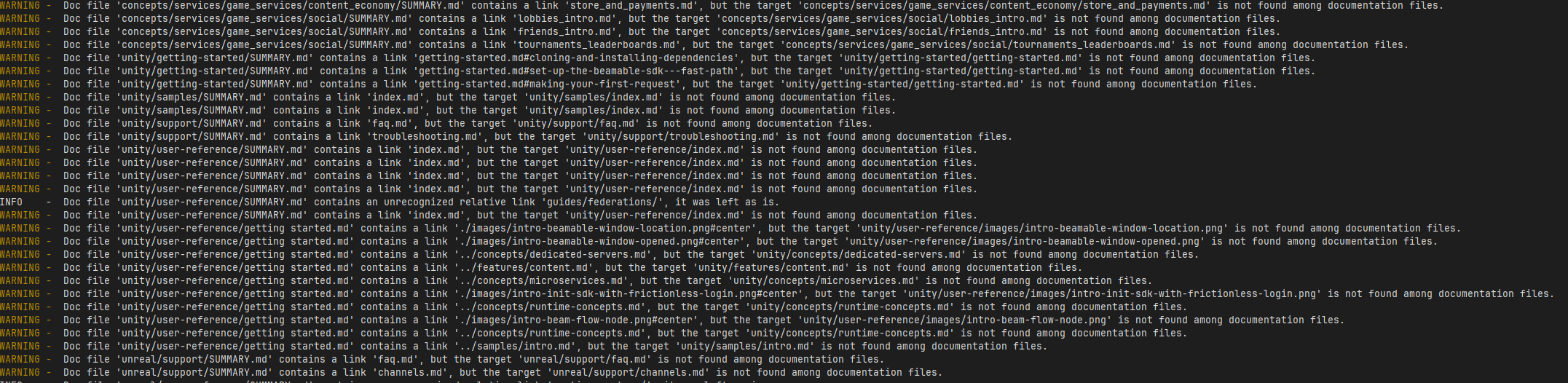
MKdocs Build Report
mkdocs provides a list of information about the build process (running mkdocs serve or mike build), including warnings and errors reporting broken links, missing files, and other issues. You can use this report to debug and fix issues in your documentation.