Working with Content
Use the Content Manager to edit game content locally, resolve issues, and publish changes to a realm. Open it from the Beamable Button → Content Manager.
For most teams, we recommend a shared development realm: designers and engineers work against the same published content, while each person keeps local edits until they publish. Keep QA and production releases deliberate, separate from everyday authoring.
Find content and understand its status
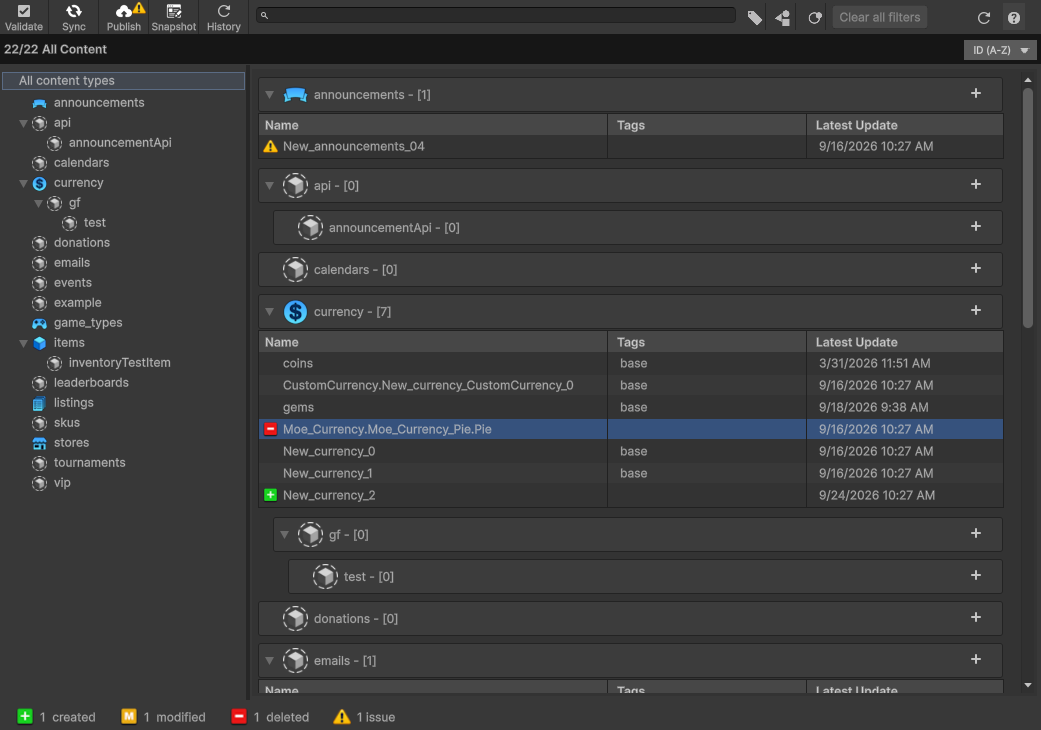
The updated window makes issues visible in the content list, footer, and Publish button. Hover over a status icon to see what changed and whether validation errors or conflicts block publishing. Up to Date means the item matches the last known realm version.
Use the wider search field and filters to narrow your list:
- Filter by name, content type, tag, or status; filter menus stay in sync with the search text
- Select All content types to remove only the type filter, keeping your name, tag, and status filters
- Select Clear all filters to reset the name search and every filter

- Click a footer status count to filter the list; the active status highlights in the footer

- Press
/to focus search when the window is active and you are not editing another text field; press Escape or click outside to leave search without clearing it
Fix issues before publishing
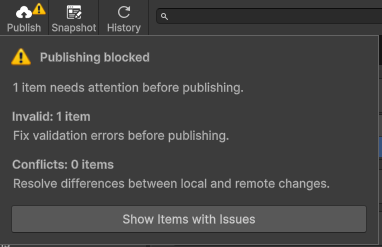
When content is invalid or conflicted, Publish displays an Issues badge. Click it to see separate validation and conflict counts, including any items counted in both categories. Choose Show Items with Issues to review them. The footer's Issues count opens the same view; both actions clear previous filters so they cannot hide affected items.
| Issue | What to do |
|---|---|
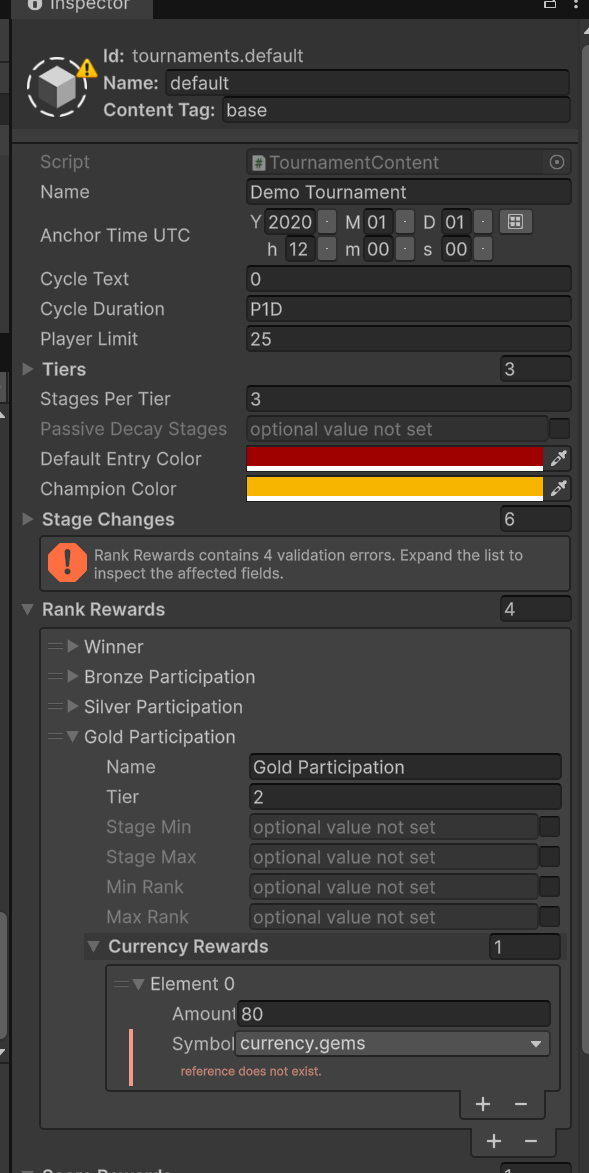
| Invalid | Select Validate, inspect the errors, and correct the affected fields |
| Conflicted | Select the item, then Solve Conflict in the Inspector; review the changes with the other author before choosing a version |
For conflicts, Use Local keeps your version for a later publish. Use Realm replaces your local version with the realm's version. Neither choice combines both authors' edits; reapply any changes you still need and validate again.
If Publish remains unavailable, hover over it to check for missing publish permission or no local changes.
Working with content as a team
Recommended: share a development realm
Use one stable authoring realm for the team instead of creating a realm for every author or content edit. This keeps collaboration manageable as the studio grows.
- Start together. Select the agreed development realm and open the Content Manager; auto-sync receives published remote changes
- Edit locally. Coordinate ownership when two people need to change the same item; teammates receive your changes after you publish
- Review issues. Validate your content and resolve conflicts before publishing
- Publish intentionally. Check the target realm and review the created, modified, and deleted items in the publish summary before confirming
- Test together. Verify the published content in the shared environment before promoting it through your studio's QA and production process
Auto-sync receives remote changes and flags incompatible local edits. Sync offers actions that revert local changes to the realm version; review its confirmation before discarding work.
Alternative: track content snapshots in Git
A Git-based workflow can suit an engineering-led team that needs content changes reviewed alongside code. Agree whether the realm or a committed snapshot is authoritative before mixing workflows.
Use shared content snapshots for Git tracking and keep .beamable/local/ ignored. For automatic snapshots on publish, set Project Settings → Beamable → Content → On Publish Auto Snapshot Type to Shared Only or Both, then commit the intended snapshot from .beamable/shared/contentSnapshots/<PID>/.
Pulling from Git does not apply a snapshot. After pulling content changes, open Snapshot, select the agreed snapshot, review its additions, modifications, and deletions, then select Restore Snapshot. Preserve unfinished work first: restoring can replace local content. Validate and publish separately when that state should become the realm's version.
See content version control and the CLI snapshot and restore references for details.